Use case

Screenshots for finance apps.

Finance apps handle the most sensitive decisions users make. Your screenshots must radiate competence, security, and calm authority.

Last updated June 2026

On this page
  1. Quick answer
  2. What makes finance screenshots convert
  3. Best colors for finance apps
  4. Common mistakes finance apps make
  5. How to create finance screenshots with AI

Quick answer

Finance app screenshots must communicate trust and financial clarity within the first two seconds of viewing. Users evaluating finance apps are not merely comparison shopping; they are deciding which institution they will trust with their wealth, their debt, or their financial future. Your first screenshot should show a clean, organized dashboard displaying a clear financial snapshot, whether that is a portfolio balance, a spending breakdown, or a net worth summary. The visual tone should feel like a private bank or a premium financial publication: restrained, precise, and quietly confident. Avoid playful colors, cartoonish icons, or screenshots that hide key numbers behind walls of marketing text. In finance, transparency is the product.

What makes finance screenshots convert

Finance app conversion is driven by one emotion above all others: confidence. Users need to believe that your app understands money better than they do, protects it better than a mattress, and presents it more clearly than a spreadsheet.

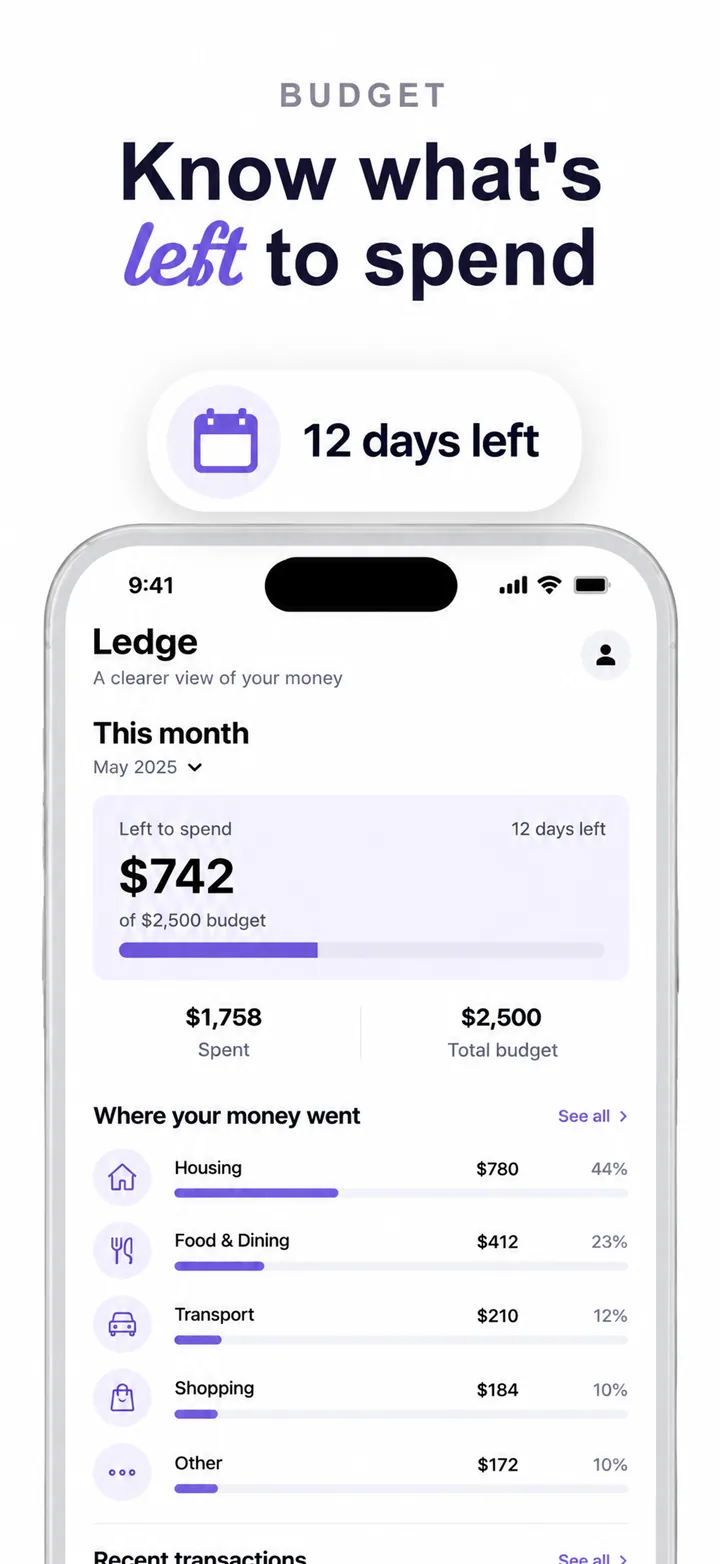
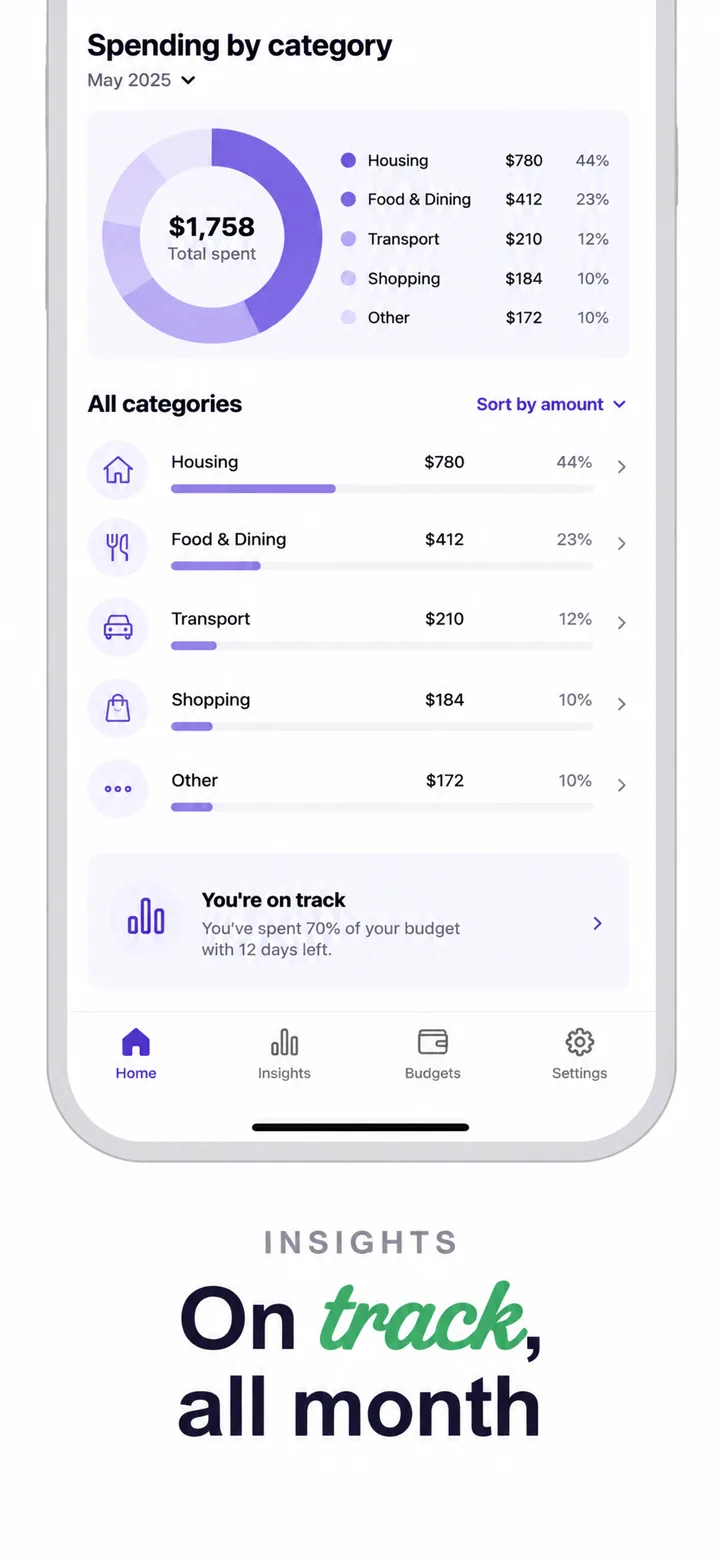
Your first screenshot must present a financial snapshot that feels both comprehensive and comprehensible. A dashboard showing total net worth, monthly cash flow, and goal progress with clean charts and clear labels tells a complete story in one glance. A screenshot showing a login screen or a generic welcome message tells no story at all. The principle is universal: show the statement, not the envelope. Users want to see their money organized before they commit their data.

The visual psychology of finance screenshots leans heavily on order, restraint, and data hierarchy. Financial anxiety is real, and cluttered interfaces amplify it. The best finance screenshots use generous spacing, limited color palettes, and clear typographic scale to make complex data feel manageable. Your layout should typically feature a device frame showing a dashboard with large primary numbers and supporting details in smaller type, with a headline on the left that promises clarity: "See everything clearly." "Your money, understood."

Social proof in finance is institutional rather than communal. "Trusted by 2 million investors" is good, but "SEC-registered" or "FDIC insured" is better because it addresses the regulatory fears that dominate financial app decisions. Screenshots that include small security badges, bank partnership logos, or encryption icons convert significantly better because they speak to the user's primary concern: safety. For investment apps, showing AUM or performance history adds credibility, but only if the numbers are realistic and compliant with advertising regulations.

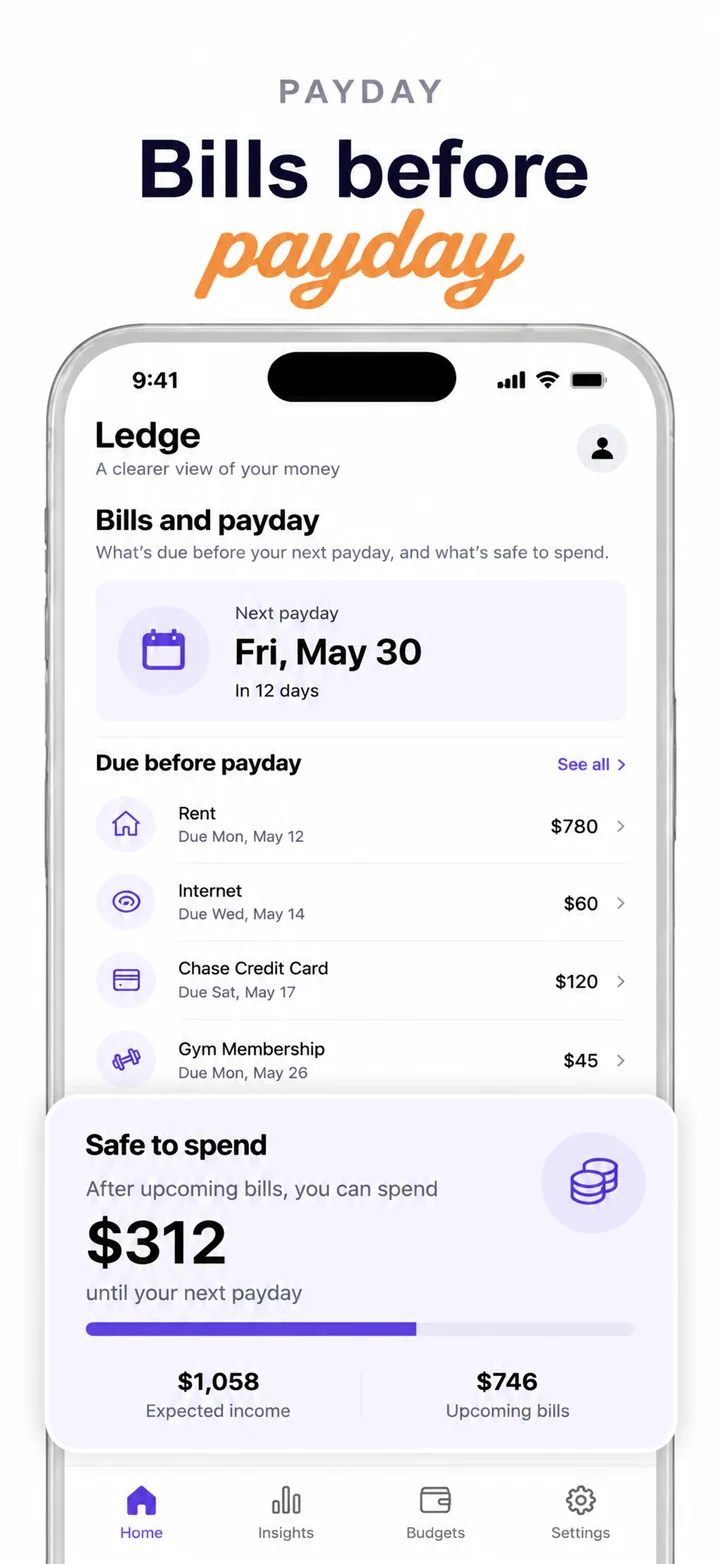
Layout advice for finance screenshots: frame one is the overview. Show the dashboard with key metrics. Frame two shows detail: transactions, holdings, or account breakdowns. Frame three shows analysis: charts, trends, or comparisons. Frame four shows security: biometric login, encryption, or fraud protection. Frame five closes with goals, planning, or advisor access. This arc moves the user from clarity to depth to safety to aspiration.

Best colors for finance apps

Finance color psychology is governed by centuries of banking tradition and modern fintech disruption. The palette must feel established enough to trust but fresh enough to engage.

Deep navy and midnight blue are the dominant colors for banking, investing, and wealth management apps. Navy signals authority, depth, and permanence. It is the color of suits, boardrooms, and ocean depths, all associations that suggest stability and seriousness. A banking app using navy backgrounds with crisp white text and subtle gold accents feels like a heritage institution updated for mobile.

Charcoal and slate grey are ideal for modern fintech, budgeting, and expense tracking apps. Grey signals sophistication, neutrality, and analytical thinking. A budgeting app using charcoal backgrounds with mint green positive indicators and coral red overspend alerts feels contemporary and data-driven. This palette avoids the stuffiness of traditional banking while maintaining professionalism.

Forest green and emerald work exceptionally well for investment, trading, and growth-focused finance apps. Green is the universal color of positive returns, growth, and go signals. A stock trading app using emerald for gains and muted grey for losses creates an instant visual language that users understand without reading. However, green should be used carefully in banking contexts where it can feel too aggressive or sales-oriented.

Clean white and warm ivory are strong choices for minimalist budgeting and personal finance apps. White signals transparency, simplicity, and honesty. A debt payoff tracker using white backgrounds with clear progress bars and simple typography feels approachable and non-judgmental. This palette is particularly effective for apps targeting younger users or financial beginners who may be intimidated by dark, corporate aesthetics.

Colors to avoid: Bright red should be reserved exclusively for negative indicators, losses, or urgent alerts. Using red as a primary background color triggers subconscious alarm about financial danger. Neon colors of any kind feel gamified and unserious, suggesting that the app treats money like a slot machine rather than a responsibility. Heavy use of purple and orange can feel frivolous in contexts where users need to feel they are in capable, serious hands.

Common mistakes finance apps make

Finance apps operate under the highest trust threshold of any consumer category. A single screenshot mistake can trigger deep skepticism that no feature list can overcome.

Mistake one: hiding the numbers. A screenshot that shows beautiful design but no actual financial data, account balances, or portfolio values feels evasive. Users evaluating finance apps want to see how information is presented before they hand over their real data. An empty dashboard or a "Connect your bank" screen as the first frame is a conversion killer. Fix this by populating screenshots with realistic demo data that demonstrates the app's organizational power.

Mistake two: promising unrealistic returns. Headlines like "Double your money in 30 days" or "Guaranteed 15% returns" are not just bad marketing; they are often illegal and will trigger both user skepticism and regulatory scrutiny. Fix this by using cautious, realistic language. "Track your net worth" is honest and trustworthy. "Become a millionaire" is not.

Mistake three: playful or gamified visuals. Confetti animations, cartoon mascots, and bright primary colors might work for savings apps targeting children, but they destroy credibility for adult financial management. Users entrusting significant sums need to feel they are interacting with a serious tool. Fix this by using restrained palettes, geometric shapes, and professional typography.

Mistake four: ignoring security visually. Financial users actively scan for security signals before installing. Screenshots that never mention encryption, biometrics, or fraud protection raise red flags. Fix this by including a visible lock icon, a Face ID prompt, or a security badge in at least one frame.

Mistake five: inconsistent data visualization. If your portfolio chart uses one color scheme in frame one and a completely different style in frame three, users will question the app's attention to detail. Fix this by establishing a consistent charting and data viz system across all frames. Consistency signals engineering competence.

How to create finance screenshots with AI

Creating finance app screenshots with Nuvex ensures your visuals project institutional trust while automating design production.

Step one: Upload your most authoritative screens: dashboards, portfolio views, transaction lists, and analytics charts. Avoid onboarding, marketing splash screens, and settings. The AI needs to see the financial data.

Step two: Describe your app with financial specificity. Instead of "finance app," write "automated investment advisor for millennials with goal-based portfolios, tax-loss harvesting, and ESG filtering." Nuvex uses this to select professional palettes, confident headlines, and layouts that prioritize data clarity.

Step three: Generate five frames. The AI automatically biases toward clean, data-rich layouts with trust-driven headlines and minimal decorative elements. Frame one typically shows your clearest dashboard overview.

Step four: Refine per frame. "Make frame 1 chart larger" or "Add a security badge to frame 4." Each frame regenerates independently while maintaining professional consistency.

Step five: Export in exact App Store and Google Play dimensions. Download and upload to your store listings.

Want finance screenshots that convert?

Try Nuvex — free to start, no credit card.

Crypto apps

Digital assets and blockchain portfolios. Read →

Productivity apps

Financial planning and expense tracking. Read →

Fintech apps

Banking, payments, and modern finance. Read →